
Sage 50 Accounting
Sage Advisor Project
Overview
Tools Used:
Adobe Creative Cloud (Photoshop, InDesign)
Goal: Create videos and quick reference guides that help users understand how to use Sage 50 Accounting and quickly get started.
Audience: New and existing users of Sage 50 Accounting. Most new users have no accounting experience, yet they need the software to run their company.
- Analyze, research, and document which areas of the software that users struggle with the most
- Participate in user research sessions to gather details about where users struggle the most in the software
- Create an outline of content topics
- Create storyboard
- Work with a voiceover artist to capture the audio we need for each video
- Capture software screenshots for the videos and provide instructions to the animator
- Create quick reference guides for each video topic that explains the step by step process
- Participate in user research, user design, user experience, and SCRUM meetings. Work with subject matters experts and stakeholders (project owner, project managers, developers, etc) to develop a new software feature that guides users while they work in Sage 50 Accounting.
For this project I was asked to create content that helps users without accounting experience get started using Sage 50 Accounting.

View Project
View a few of the final videos from the Sage Advisor project. About 18 videos were completed in total.
Supporting Documents
quick reference guide
Quick reference guide
Quick reference guide
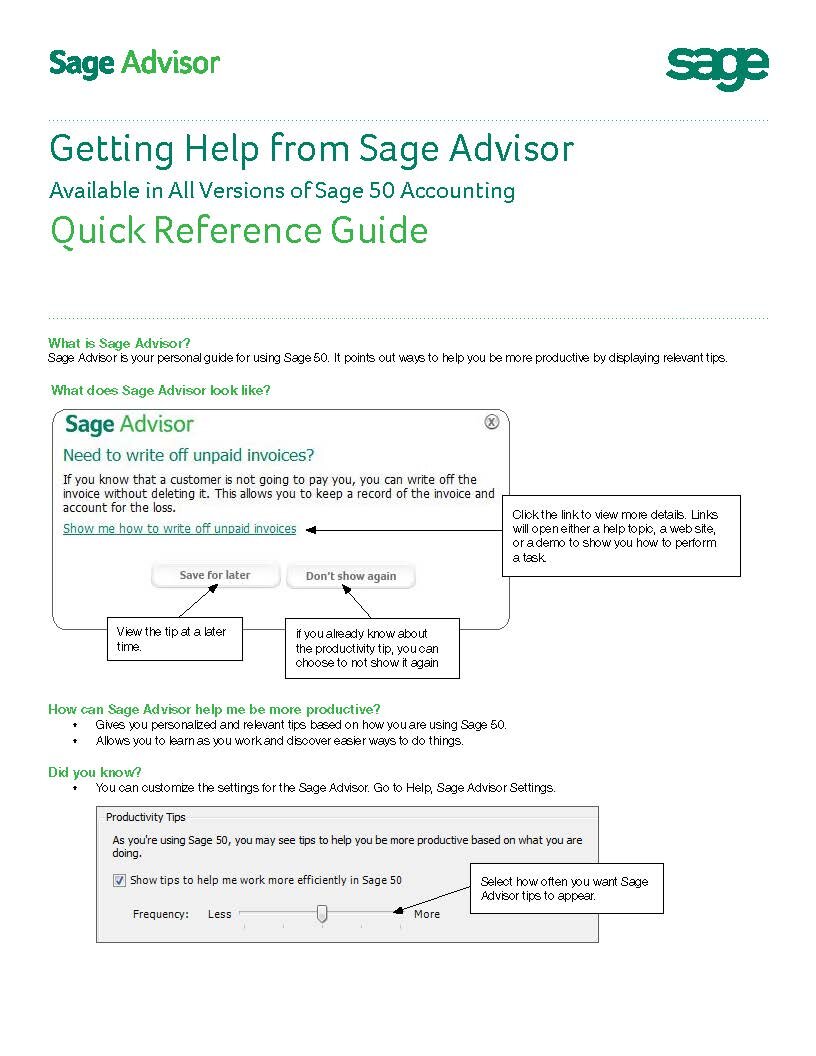
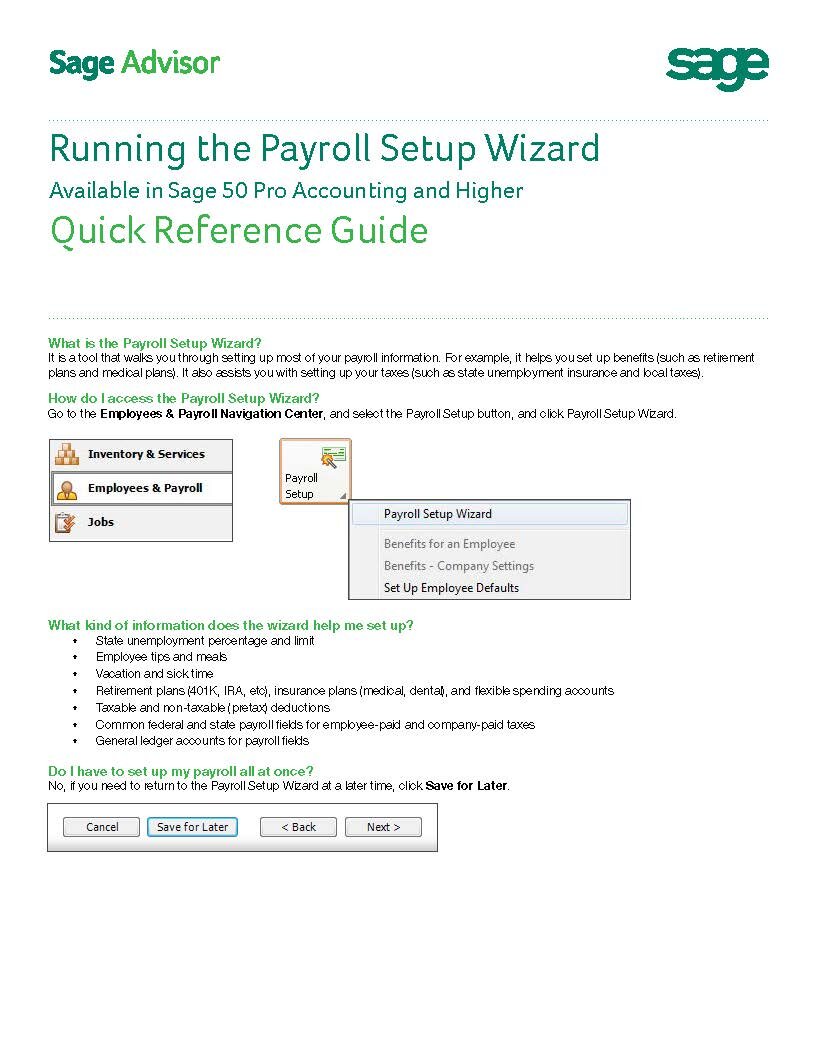
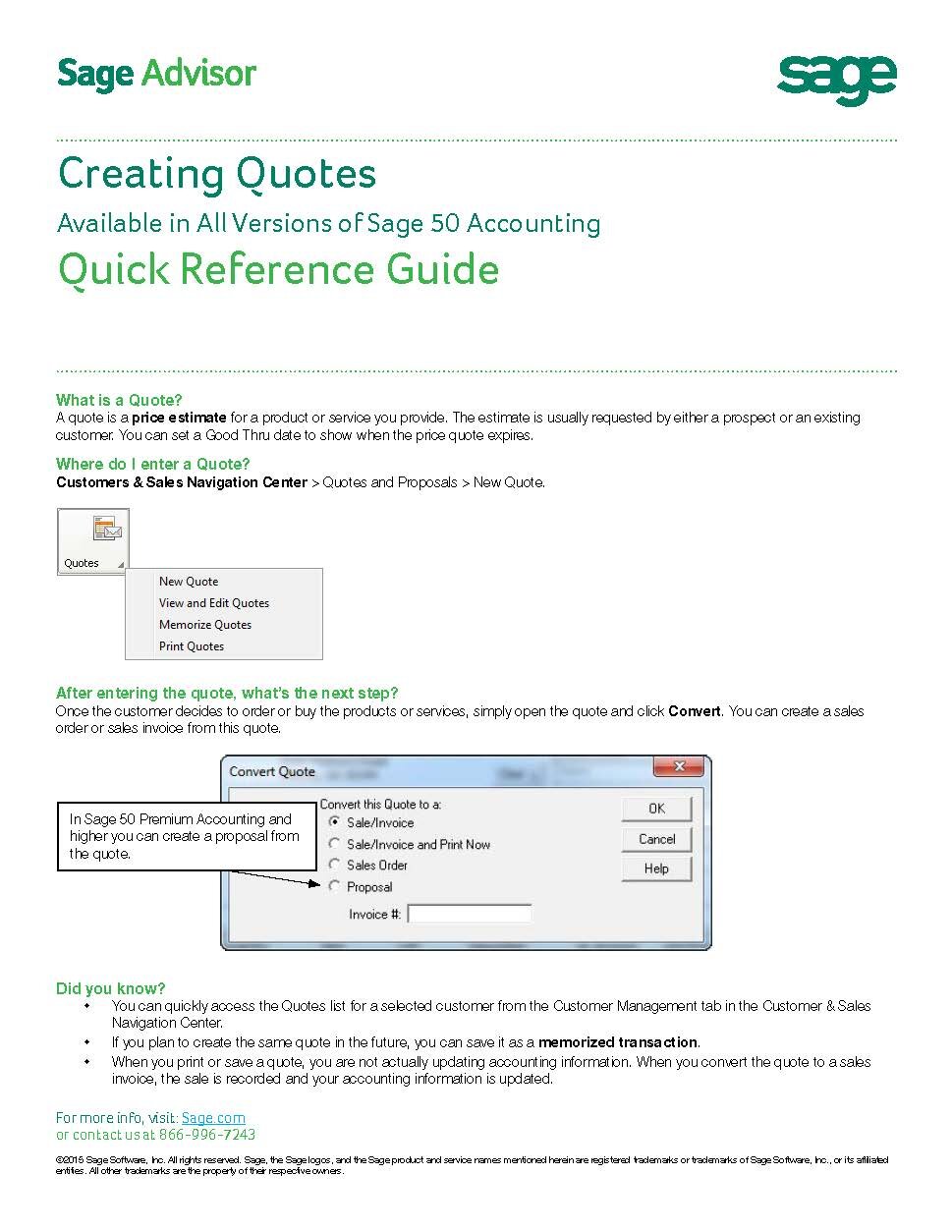
View a few of the final quick reference guides from the Sage Advisor project. I created about 52 quick reference guides in total.
Process
This was a major project and feature enhancement for Sage 50 Accounting. The problem we were facing is that many users had a hard time understanding how to use the software to run their business.
There were multiple moving parts to this project. While I was creating quick reference guides and video training, I was also tasked with working with internal teams to implement a new product enhancement. The Sage Advisor product enhancement detects where users are having issues and offers on screen assistance to guide them to using the software effectively and efficiently. The overall goal of Sage Advisor was to help new and existing users to easily understand Sage 50 and feel confident using the software to run their business.
With my previous customer service experience, I came into this project knowing the top areas of the program where users struggled the most. I developed and crafted a list of topics and training to help solve these issues. These topics became headliners for the video training and quick reference guides. I created all of the quick reference guides. I developed storyboards and scripts and captured screenshots for the animated videos. I worked with an animator and provided instructions on how to craft the video. We worked with a voiceover artist for the audio. It was a team effort to carefully craft the final training videos.
I worked with the internal user experience (UX) team to conduct user research sessions where we brought in customers to test the software and our ideas. I worked with project managers and developers to implement the new product enhancement to help users find success in using the software.
Results
The Sage Advisor project was well received by internal teams and our external customers. They appreciated the short, engaging, and easy to understand videos. Along with the easy to follow quick reference guides. Customers were happy to have easy to follow instructions to help them get started in the software. There was a total of 18 videos created and 52 quick reference guides. There was plenty of content across multiple topics for users to get help and assistance (managing customers, bills, inventory, employees, payroll, jobs and projects, bank accounts, and financial health).


